

The HP Pavillion dv2000 laptop has been a good one and has held up well over the last few hard years of use. However, since I loaded Ubuntu Lucid Lynx on the IBM I have wanted to try some other Linux flavors, one of those being recently released Linux Mint 10.
The first thing I did was back everything up. I bought a 500GB Goflex external drive by Seagate and moved all of my files (photos, docs, and other things I wanted to keep safe during the install). The 500MB Seagate GoFlex is a pretty cool drive and makes moving files 2 GB in size a cinch. Though I wish it came with some sort of security scheme or password protect option.
I planned on keeping Vista on the machine and just partitioning the hard drive so I could run both Vista and Mint on the same machine. Moving all my personal files off of the HP Laptop and removing unused programs would give me ample space for Linux Mint 10.
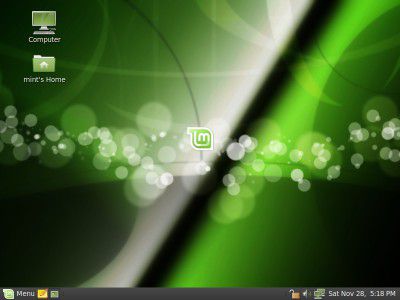 |
| Linux Mint 10, clean yet inspired. |
I downloaded the Linux Mint 10 ISO (the OS file) on to my machine and then burned it on to a 700MB disc using Infrarecorder (infrarecorder is free program that works great and works for windows). Search Linux Mint 10, and you will find the website with links to different mirrors that you can download it from. Also on the Linux Mint 10 website you will find a PDF guide that serves as a manual, which will guide you through burning the disc and serves as a user guide. Note, as soon as you burn Mint 10 on the disc, you will put it in your drive, then restart the machine. From there on you will go through Mint menus that are easy to navigate.
When you re-boot your machine you will have an option to boot Linux Mint 10 from the disc and go through all of the options (or just run it from the disc and take a test drive without installing it). This is the time where you can partition the drive or just install it over your previous OS. It is really easy to install Linux Mint 10, and it is all done in an elegant fashion.
I have only had Linux Mint 10 running on the HP dv2000 for a day, but so far I am impressed. I have had no issues at all in terms of compatibility between Linux Mint 10 and the HP dv2000 laptop. Everything seems to be working great, though I have not had a chance to see if the HP dv2000 integrated web cam works yet (have to try out Skype in Mint). The Touchpad and mouse work fine as do volume controls on my keyboard that can control Rythmbox.
I did notice that my wireless led light blinks orange and blue while running Mint (so it blinks off and on), strange indeed, but the wireless connection works great anyway. I was able to get on both my home and office networks without a hitch. The web seems much faster with this machine running Mint over Vista (I use the same browser Firefox in both OSs).
If you want to refresh an ageing laptop or try the future of computer operating systems I suggest you try Linux Mint 10 or even Ubuntu and it's latest 10.10 distro.
Linux Mint 10 was a painless install, took only an hour or so, and only cost me one compact disc.
I will update this blog post as I get further acquainted with Linux Mint 10.
*Information contained within these pages do not necessarily reflect the opinions or views of Schreiner University.

